How Can We Help?
Engagement Letter Renewals

FibreCRM now supports renewal engagement letters that can be created directly from an Organisation (Account) or Person record, rather than via an Opportunity.
When sending a renewal engagement letter, FibreCRM:
Includes the relevant appendices automatically based on selected services
Before you start using this feature there is a few items that will need to be enabled/set up:
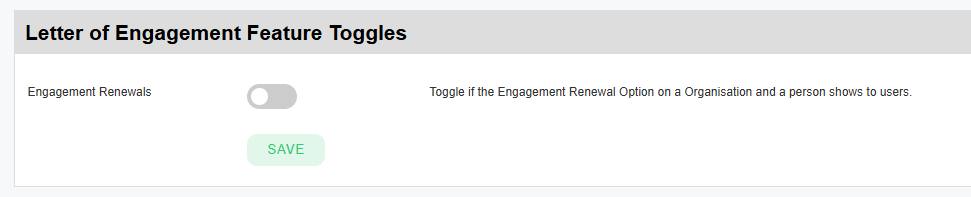
In Engagement Letter Configuration:
This enables the Create Engagement Letter action from Organisation/People.
In Engagement Letter Configuration:
This ensures FibreCRM knows which engagement letter applies to each active service.
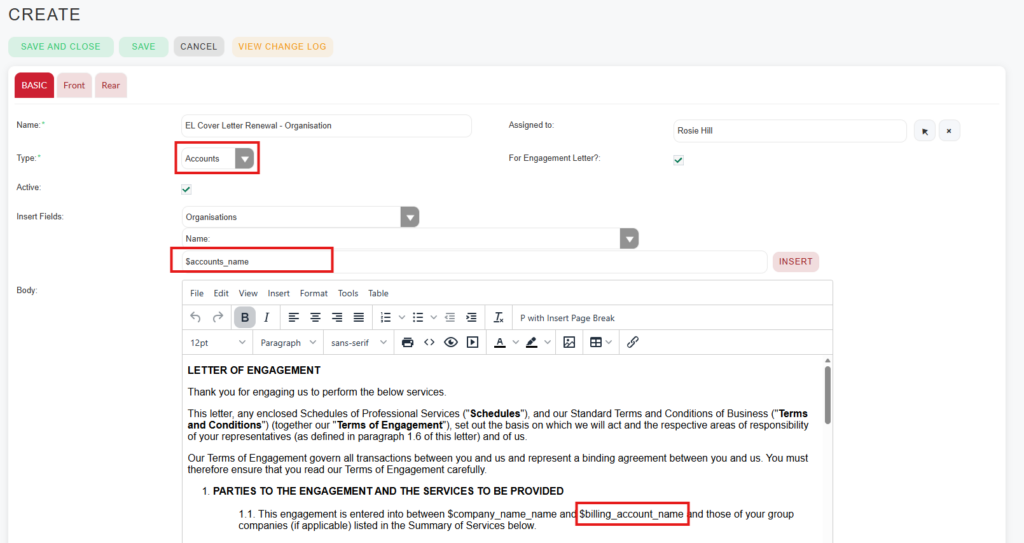
Your existing cover letters for Engagement Letter created via Opportunities, will not work for Engagement Letter created via Organisations/Person. So you will need to create Cover Letters for these modules .
To do this you can:
Duplicate Existing Cover Letters
In PDF Templates:
Update Merge Codes
Because the PDF template duplicate won’t be longer linked to an Opportunity:
For Engagement Letter renewals you will typically need:
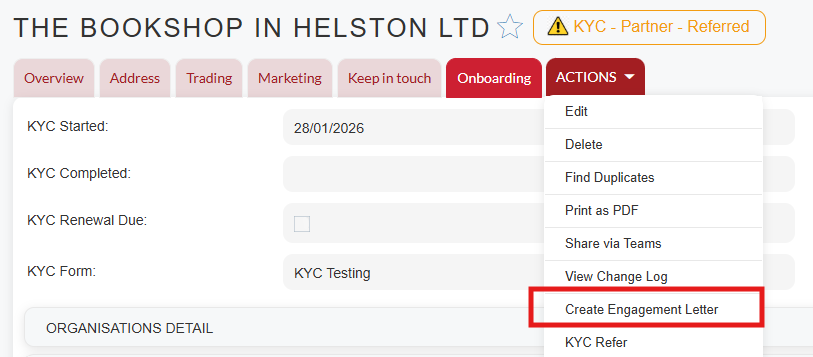
Once the set up is complete you can create your Engagement Letter Renewals from the Organisation/Person record:
To do this navigate to a Person or Organisation record and select Create Engagement Letter from the Actions Menu
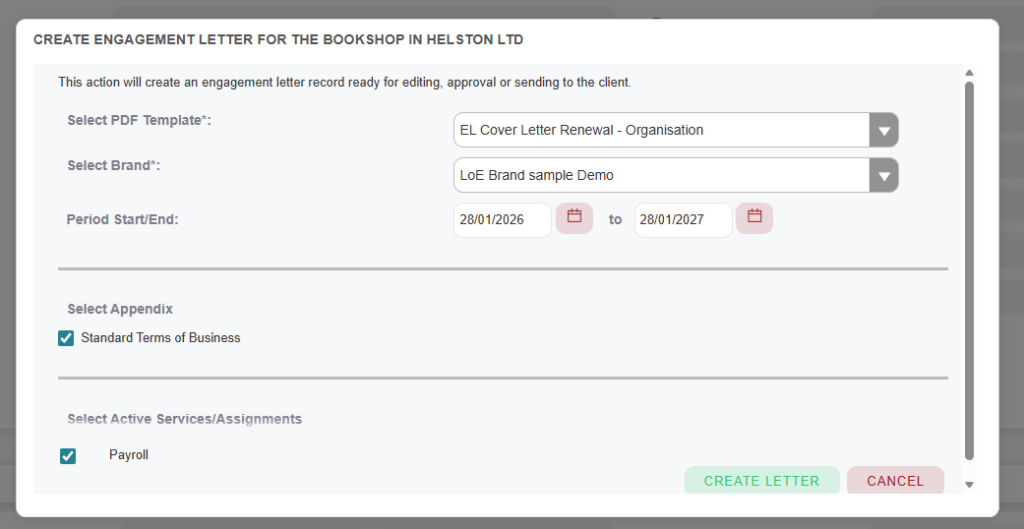
In the Pop Up choose:
Please note only active Services/Assignments will be available to choose from
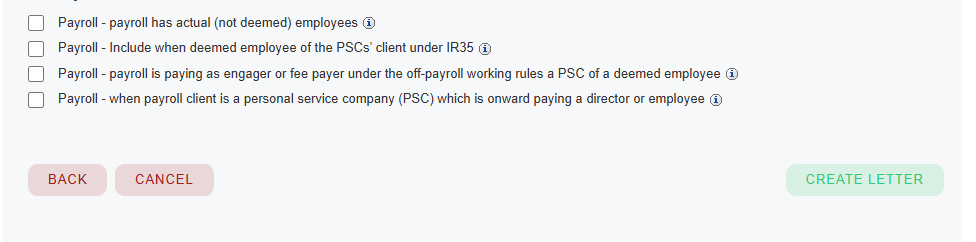
If applicable you will also need to choose the Engagement Letter variables to be included in the Engagement Letter.
Once done click Create Letter.
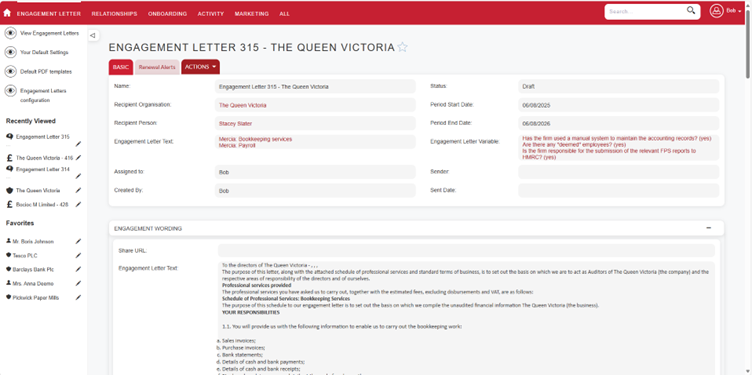
Once done an Engagement Letter record will be created and the EL process will follow your existing workflow and will behave exactly the same as creating an Engagement Letter from an Opportunity such as:
For more information see: Engagement Letters with Variables + Multi signing – FibreCRM Support Portal